
Configure AI Charting
Control the models and prompts behind AI SOAP drafts and the in-charting assistant.
Your network controls how AI behaves during charting — which model drafts SOAP notes, which one answers providers' questions, and the exact instructions each SOAP section follows. It all lives in one place, and only Admins can change it.
Open SettingsWhere it lives
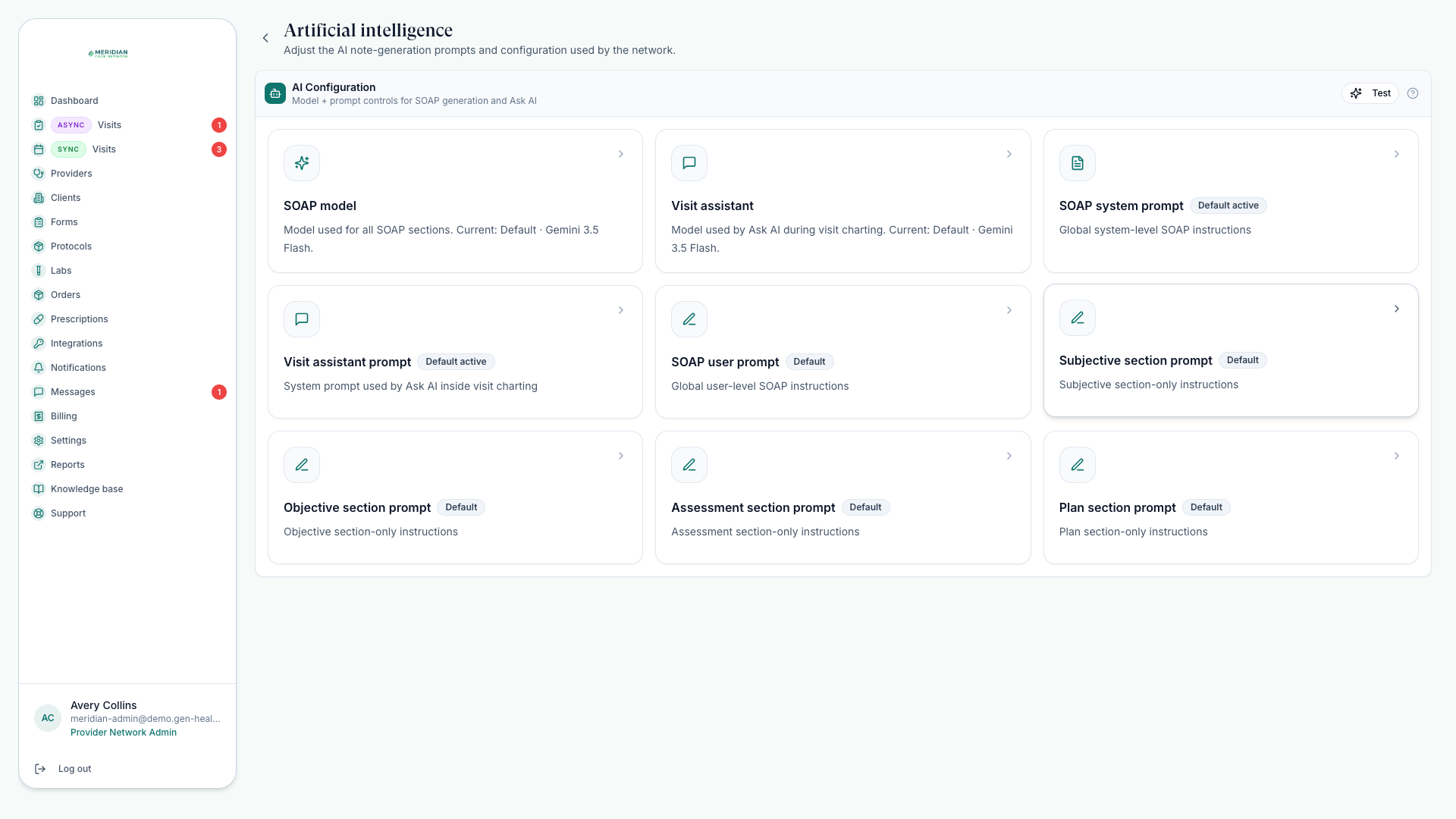
In Settings, open the Artificial intelligence section. You'll find two model cards and a set of prompt cards; any field left blank falls back to a curated platform default, so nothing breaks while you customize.
Two models, two jobs
| Card | What it powers |
|---|---|
| SOAP model | Drafting all four SOAP sections during chart reviews and visits. |
| Visit assistant | Ask AI — the in-charting assistant providers question while reviewing. |
Both pickers offer a curated list of supported models. The visit assistant answers from the patient's chart — profile, intake answers, forms, order history, prior documentation, and labs — not the open internet.
Tune prompts section by section
Beyond a global system prompt and user prompt for SOAP drafting, each section takes its own instructions that apply only to it:
- Subjective — how to summarize intake answers and reported symptoms.
- Objective — how to present labs and measurable findings.
- Assessment — how to phrase the clinical impression.
- Plan — the language for treatment recommendations and follow-up.
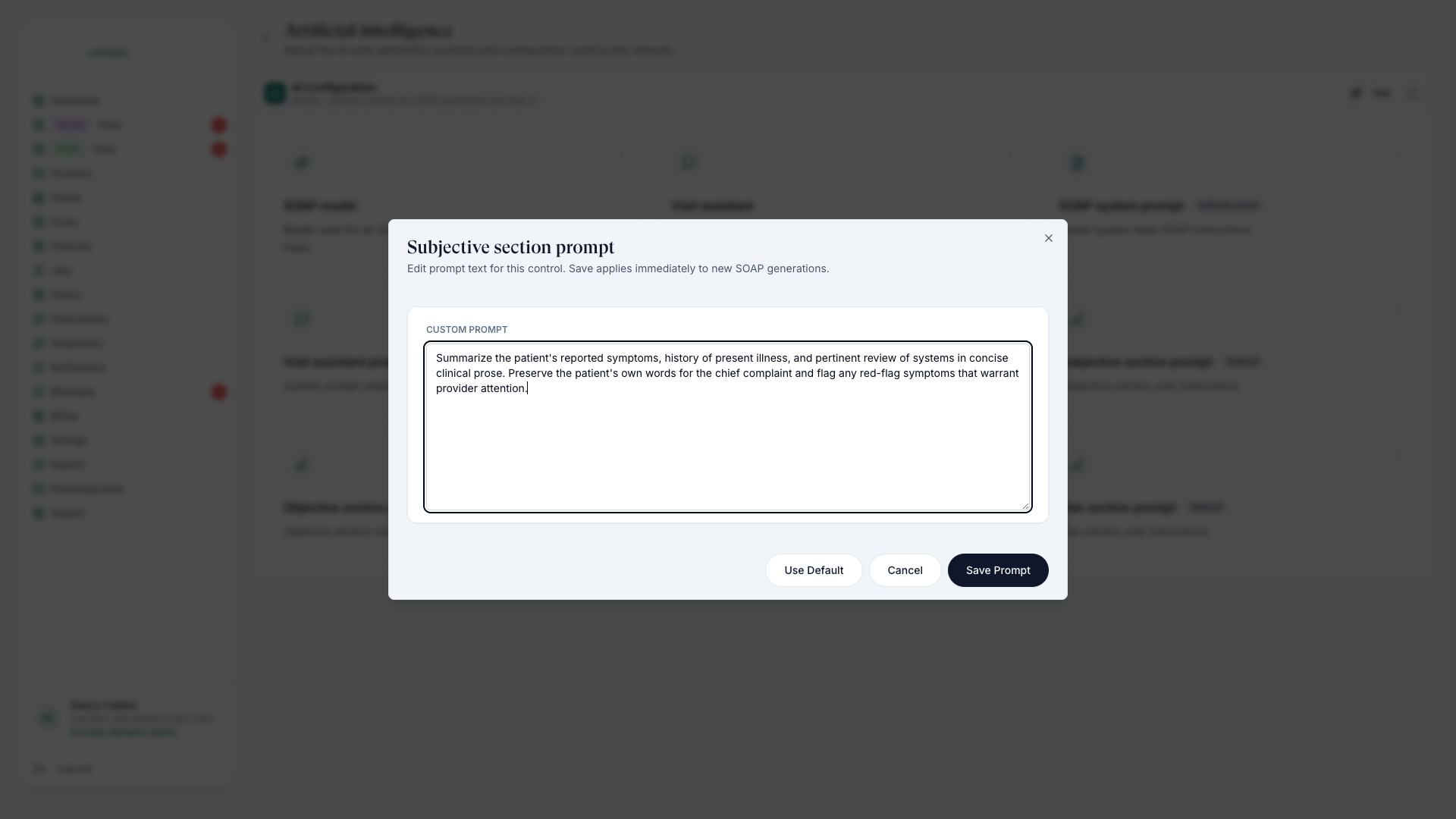
Saved prompt changes apply to new SOAP generations immediately. Tell your providers before you change drafting behavior mid-day.
Test before you roll out
Edit a prompt or model
Save the change from its card.
Run Test
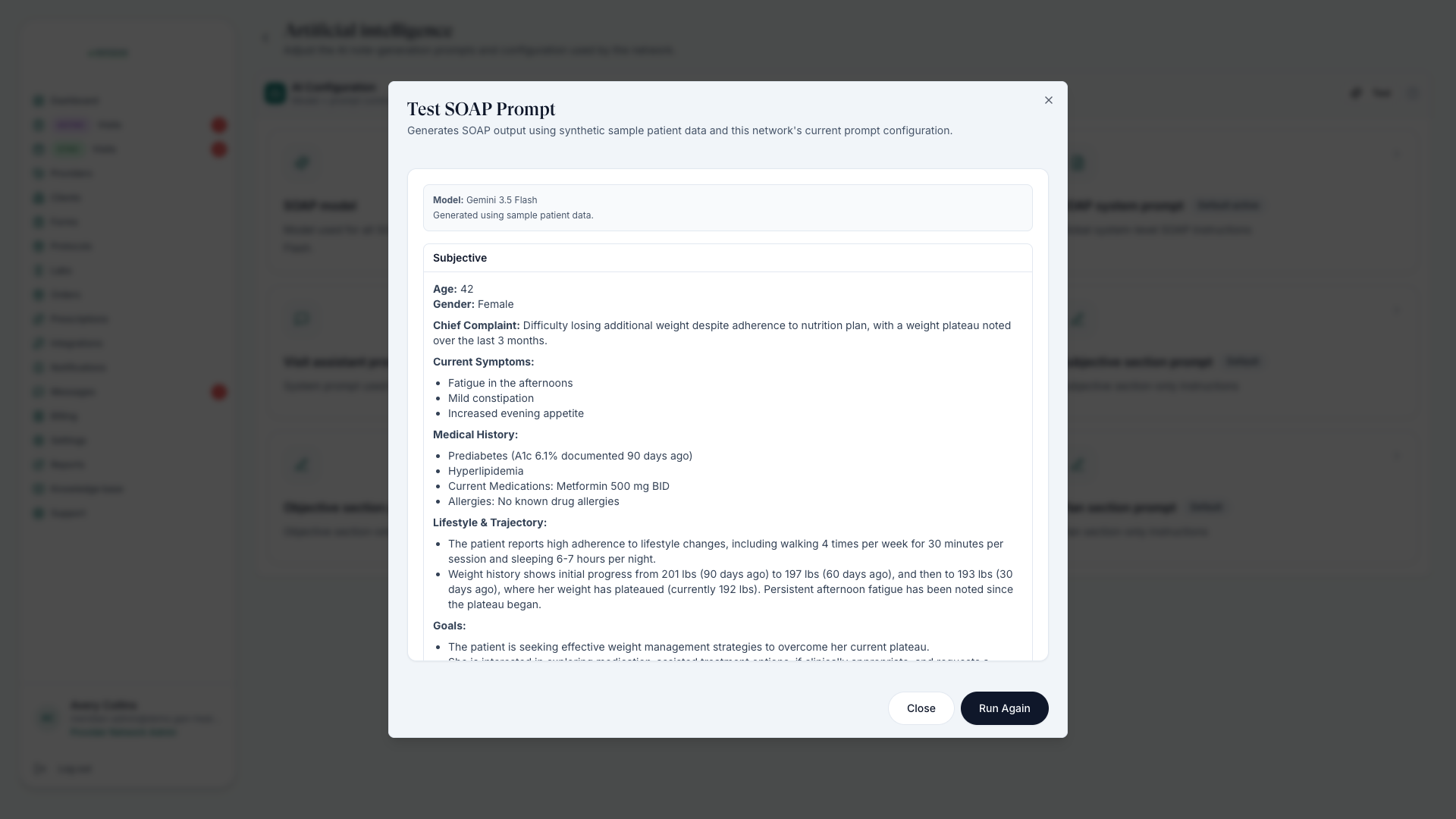
The Test button generates a full sample SOAP note from synthetic patient data using your current configuration — no real chart involved.
Read all four sections
Check tone, structure, and length against what your clinicians expect, then adjust and re-test.
AI elsewhere in charting
- Providers see AI drafts only if SOAP tools are enabled in your charting workflow — see Charting Options.
- Submitted intake forms get an AI summary that feeds SOAP context, and the form builder has an AI assistant that drafts questions from your instructions — review its disqualifiers before publishing. See Build Intake Forms.
- Providers draft with AI, then edit — the note must reflect their clinical judgment before they decide. See Complete Chart Reviews.
Was this helpful?