
Sync Visits
Create, reschedule, and monitor scheduled video and phone visits.
Sync visits are live, scheduled encounters — video or phone consults. Create, reschedule, and monitor them here. Who can do this: Admins and Provider Delegates manage the schedule; Providers manage their own availability — see Roles & Permissions.
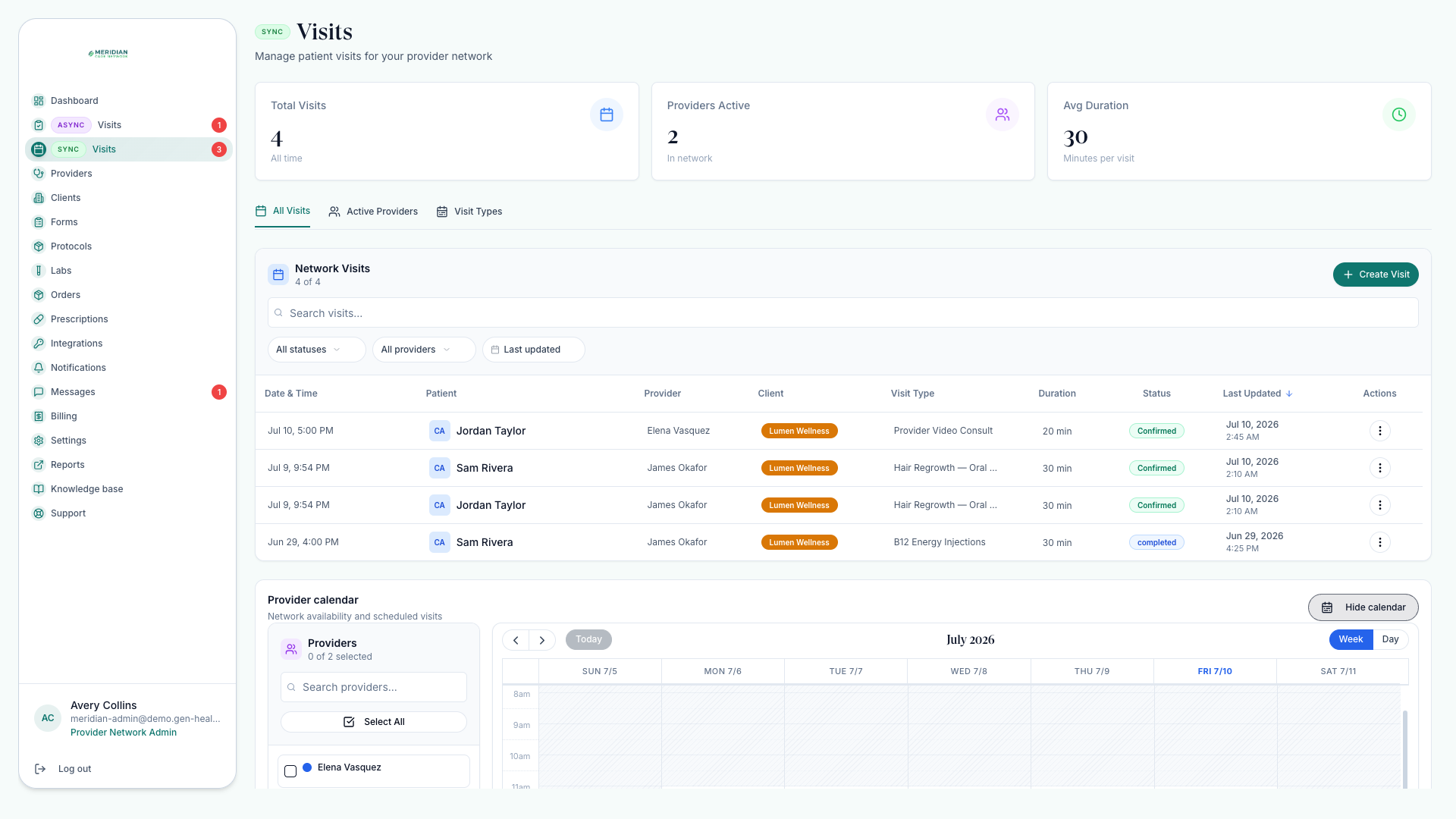
Open VisitsThe Sync Visits page
Sync Visits combines a schedule, a visit table, provider availability, and controls for the visit products you offer. Visits move through upcoming, pending, confirmed, in progress, completed, and cancelled.
Schedule or reschedule a visit
Review the schedule
Use the calendar and table views to see what's booked and where gaps are.
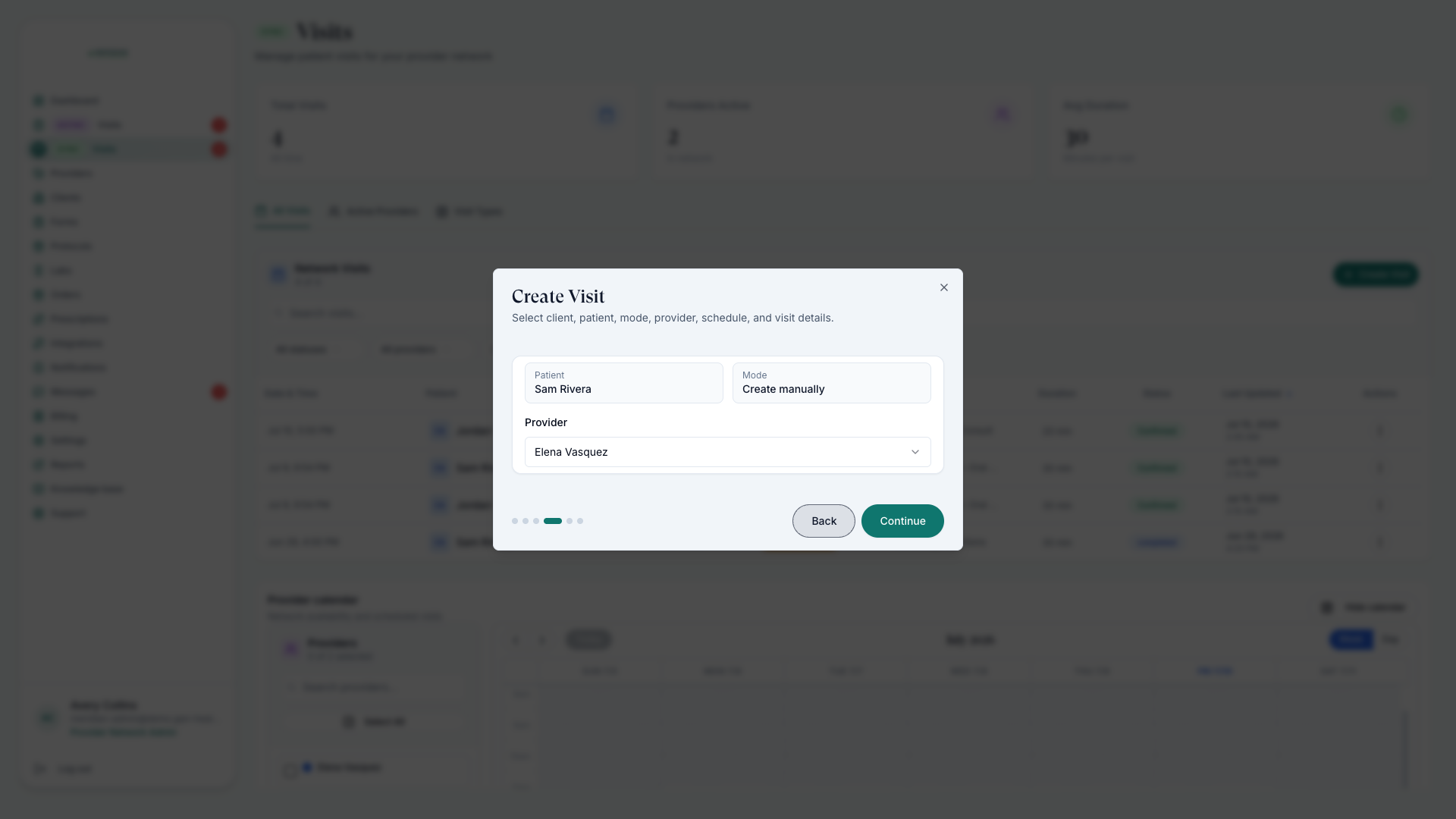
Create or reschedule
Choose the client, patient, visit mode, provider, an available slot, and the visit details. Video or phone — the visit mode picks which.
Keep availability aligned
Provider slots must sit inside network operating hours and match patient demand — providers set their hours in Set Availability. Gaps here are the top reason patients can't find a bookable slot.
Monitor completion
Confirm each visit ends completed, cancelled, or rescheduled with a clear next step.
Who joins when
Providers join during the allowed visit window and complete the encounter, charting, and any required clinical decision — see Set Availability. If a provider needs different hours, that's an availability change, not a reschedule.
Pricing and reschedules
Visit pricing for a linked client is set on the client profile — see Assign Providers. Reschedule requests surface in your morning review — see Daily Workflow.
What's a reschedule request?
A request to move an existing visit. These surface with the day's schedule — confirm each morning so the calendar stays true.
Patients can join shortly before the scheduled start and for a limited time after it. Keep schedules accurate to avoid missed visits.
Was this helpful?