
Async Visits
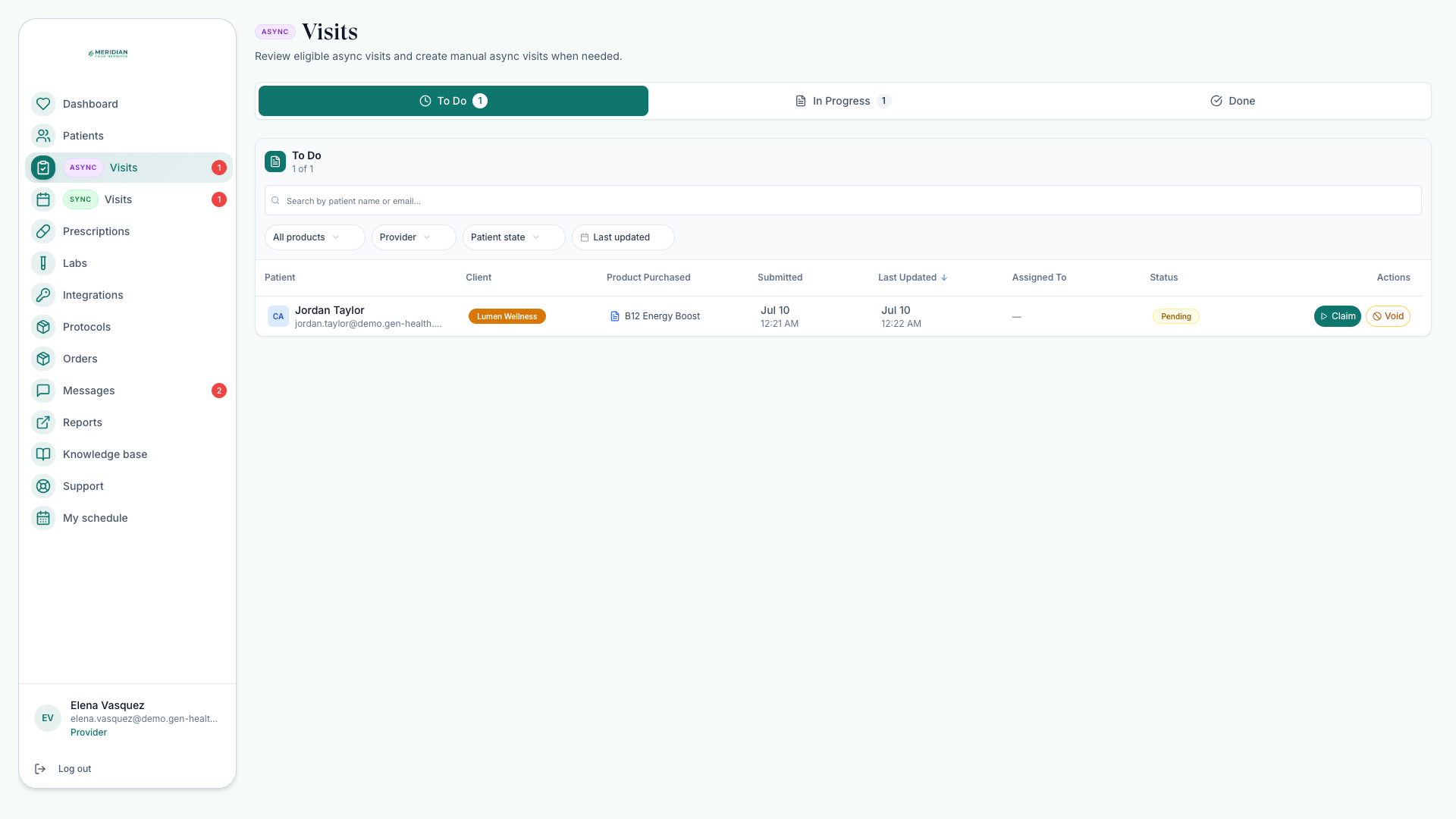
Claim a chart review, evaluate the intake, and record your clinical decision.
For Providers: claim a chart review — a clinical review from the patient's chart, no live appointment — work it, and record your decision. Who can do this: Providers decide; routing and assignment are in Review Queue.
Open VisitsIf the queue looks wrong — reviews you can't claim, patients you can't see — the usual cause is routing or license coverage, not a missing record.
Work a review end to end
Open the queue
In Async Visits, filter for reviews waiting or assigned to you. Confirm the patient, client, product, forms, and labs are ready.
Claim or open a review
Claim an eligible unassigned review, or open one assigned to you. You can claim only when your license, client assignment, and state rules allow.
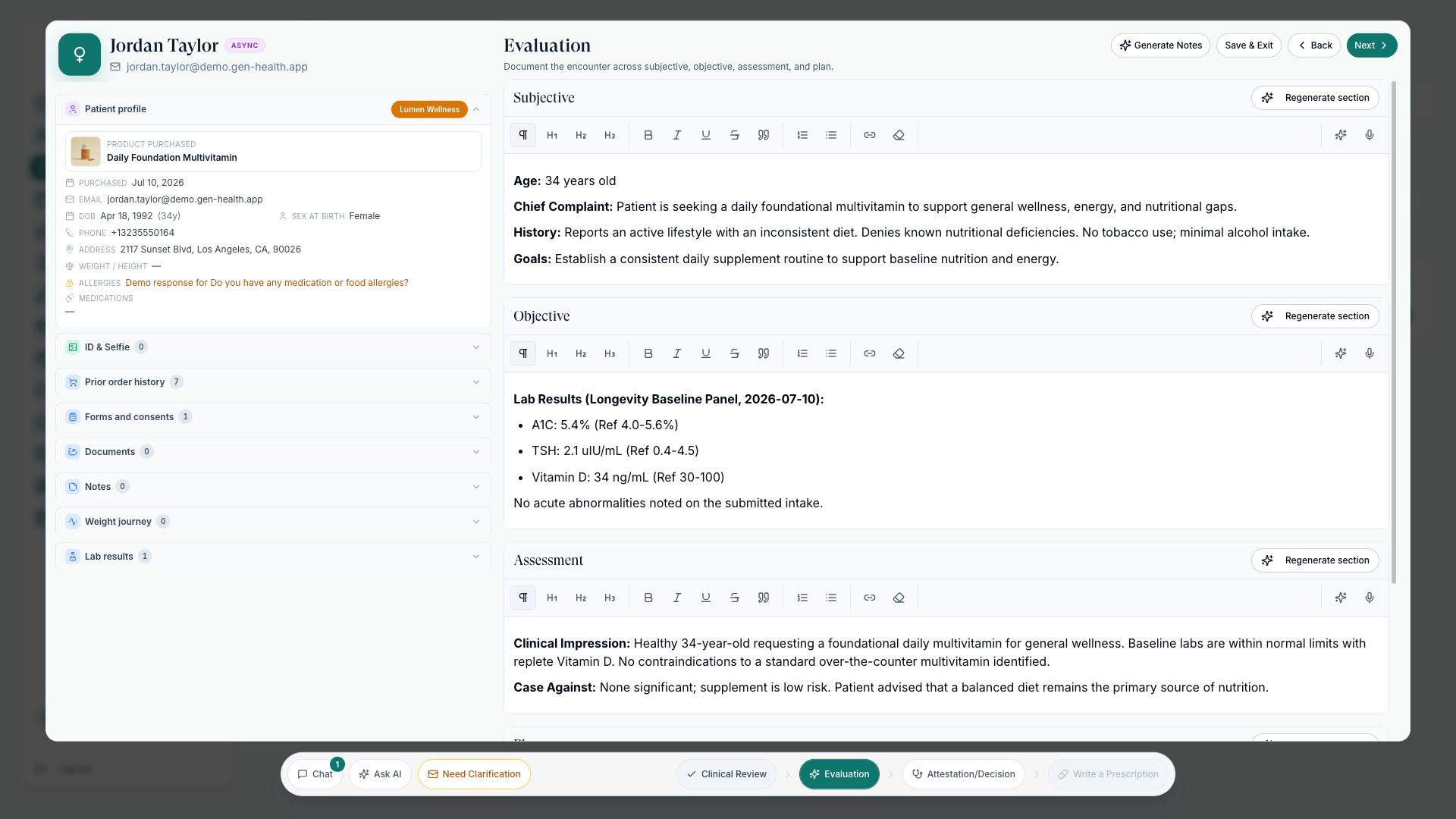
Review intake and history
Read the form answers, history, order context, labs, prescriptions, and attached files.
Draft the clinical note
Use AI-assisted SOAP generation when appropriate. Edit until the note reflects your clinical judgment.
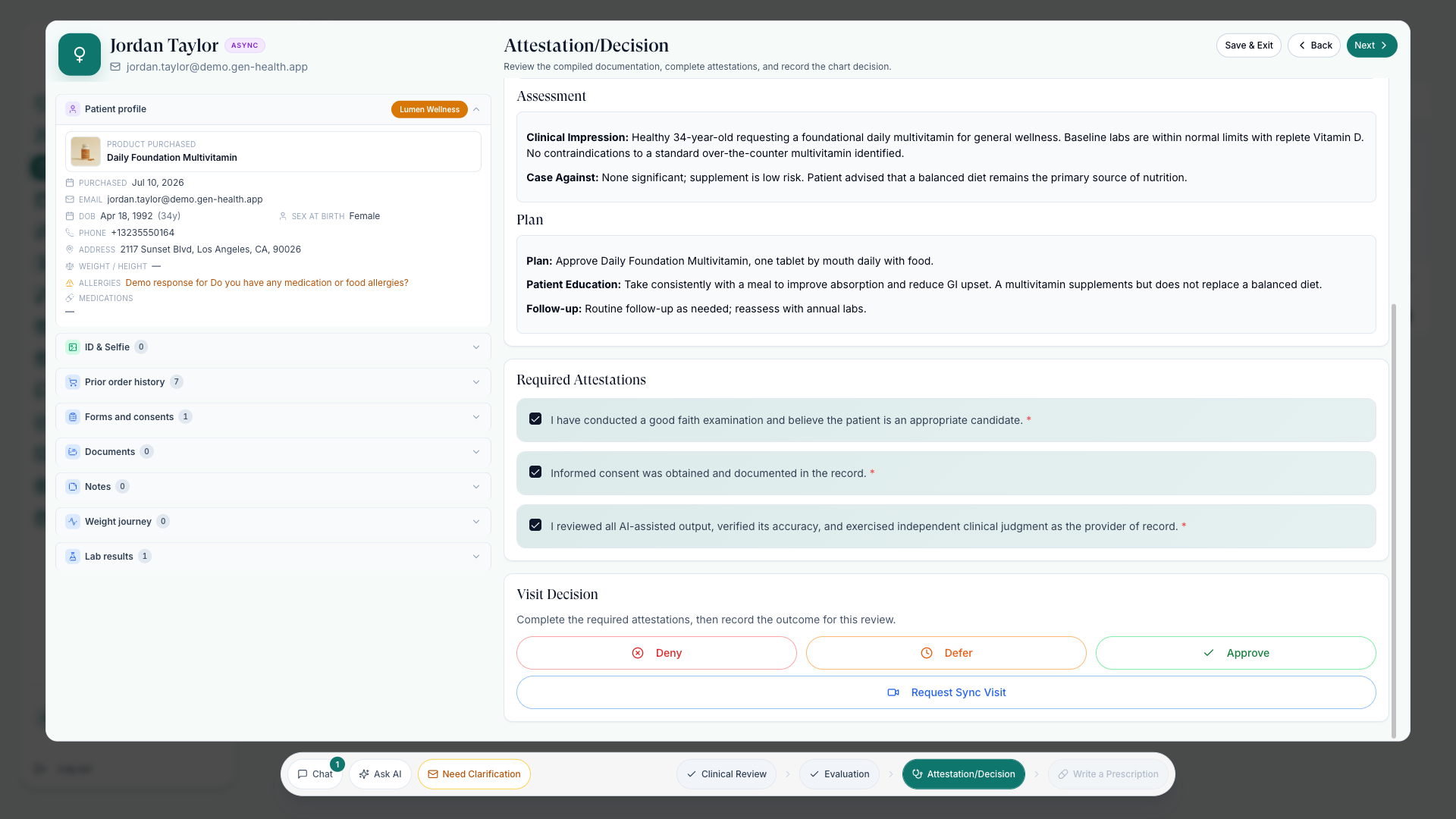
Record your decision
Approve, deny, or defer — then add prescriptions, recommendations, or follow-up steps as needed.
Attestations gate the decision
Before you can record a decision, check the required attestations — good-faith examination, informed consent, and, when AI drafting was used, that you verified the note. Your network may combine them into a single acknowledgment — see Charting Options. Editing the SOAP note after deciding resets the attestations, and you confirm them again.
The three decisions
- Approve — care proceeds; add prescriptions or recommendations as needed.
- Deny — the request isn't clinically appropriate; the order records your decision.
- Defer — you need more before deciding; attach the follow-up steps that unblock it.
Recommendations and add-ons are never charged silently: the patient gets a payable prompt in their portal, and the extra item moves ahead only after they accept and pay — some clients also authorize those prompts before the patient sees them. A denial doesn't move money by itself; the client team decides on any refund.
After the decision
- Approved care continues into prescriptions — see Send Prescriptions.
- Order status updates as it moves through labs, pharmacy, and delivery — see Track Orders.
Only a provider with the right license and assignment makes the clinical decision. Delegates route reviews but never replace provider sign-off.
Your Admin sets your charting layout — step-by-step or single scroll, SOAP tools on or off. See Charting Options.
Was this helpful?