
Create Protocols
Build and maintain the catalog of care protocols your clients offer patients.
Protocols are the care offerings in your catalog — what linked clients put in front of patients. A protocol bundles everything one offering needs, so patients enter the right care path automatically. Who can do this: Admins manage the catalog; Providers and Provider Delegates browse it read-only — see Roles & Permissions.
Open Protocols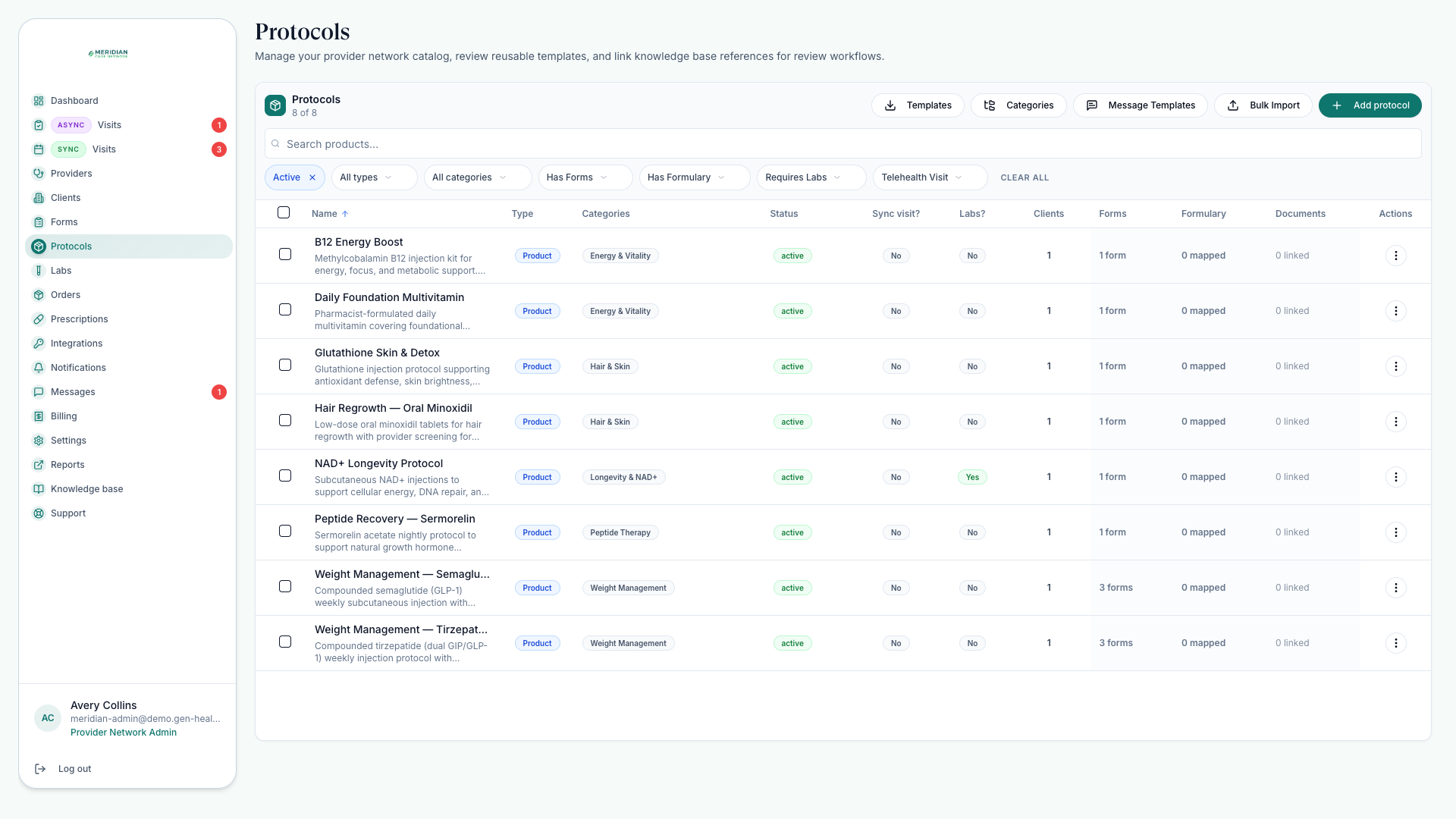
Golden rule — build the protocol, attach its intake forms and labs, then enable it for clients. Enable first and patients can buy an offering before its clinical safety net is attached.
What a protocol carries
Protocols holds your network's catalog: each protocol's patient-facing details, category, knowledge-base attachments, required intake forms, lab requirements, and default medication pairings.
Categories keep the catalog browsable. Knowledge-base attachments put background material next to the protocol — see Knowledge Base. Linked clients sell from this catalog, so changes alter what patients see and pay.
Create or update a protocol
Open Protocols
Review active and inactive protocols, categories, and linked catalog items.
Edit the details
Set display name, description, category, visibility, and provider-facing prescribing notes where available.
Attach forms and lab rules
Confirm the protocol sends the right intake forms and requires the correct labs before clinical review — see Build Intake Forms and Manage Labs.
Pair medications
Set default medications, pharmacies, preset directions, and days supply — see Pair Medications.
Validate with a linked client
Confirm enabled clients see the intended patient-facing product and price.
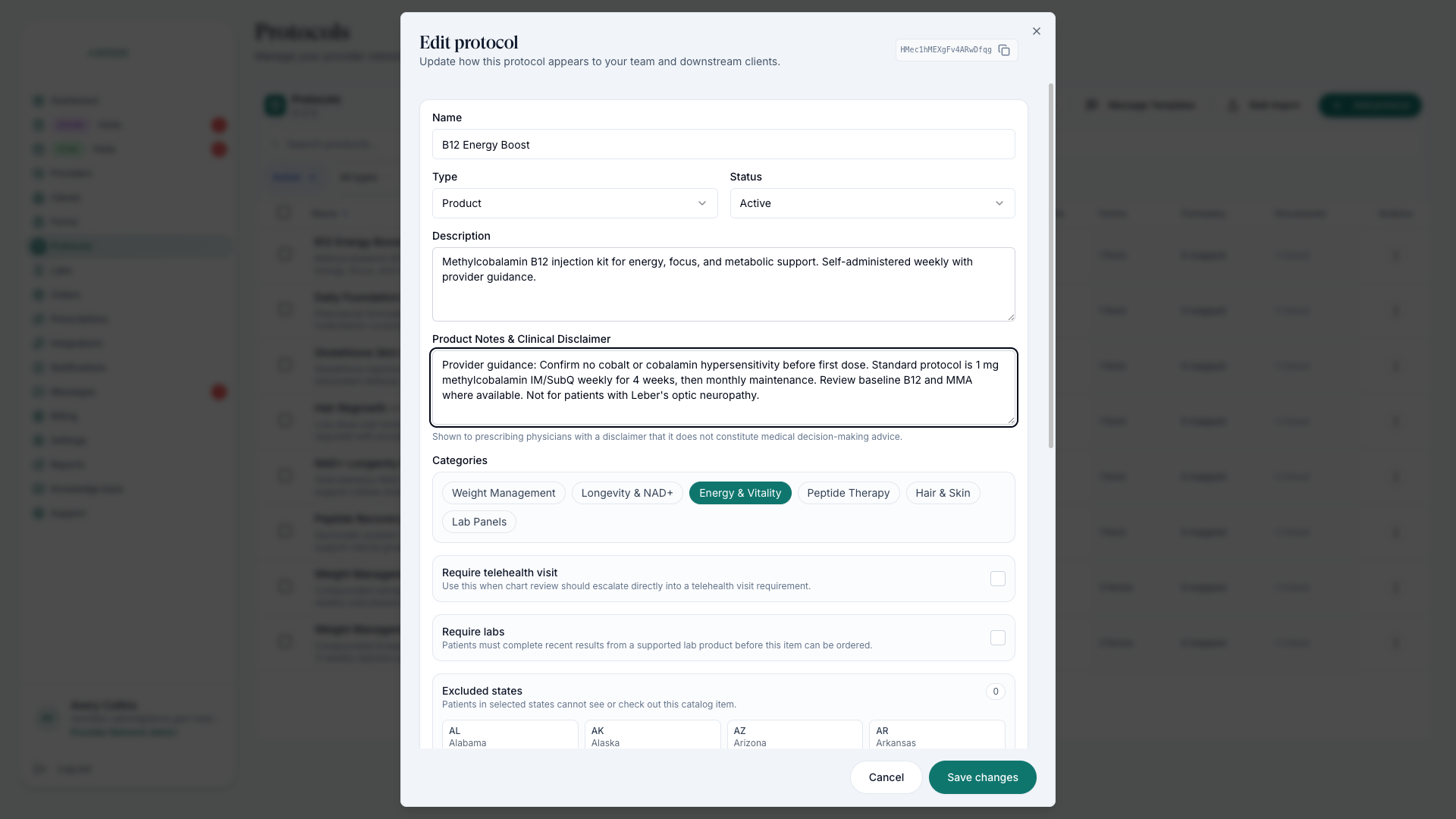
Clinical rules a protocol can carry
- State exclusions — list the states where the offering must not be sold; excluded states can't buy it.
- Lab recency — choose which lab panels satisfy the requirement and how recent results must be (in days), so patients with fresh labs aren't re-tested.
- Medication options — pair alternatives up front so the prescriber can switch medication or pharmacy at prescribing time without restarting intake.
- Form coverage policy — in Settings, your catalog policy can require intake-form coverage before products go live.
Safety checks before publishing
Inactive protocols are not offered to patients.
Required forms cover the clinical decision the provider must make.
Lab requirements match the intended review workflow.
Provider-facing notes are clear and never shown to patients.
Historical orders still read correctly after edits — snapshots keep the old names and descriptions.
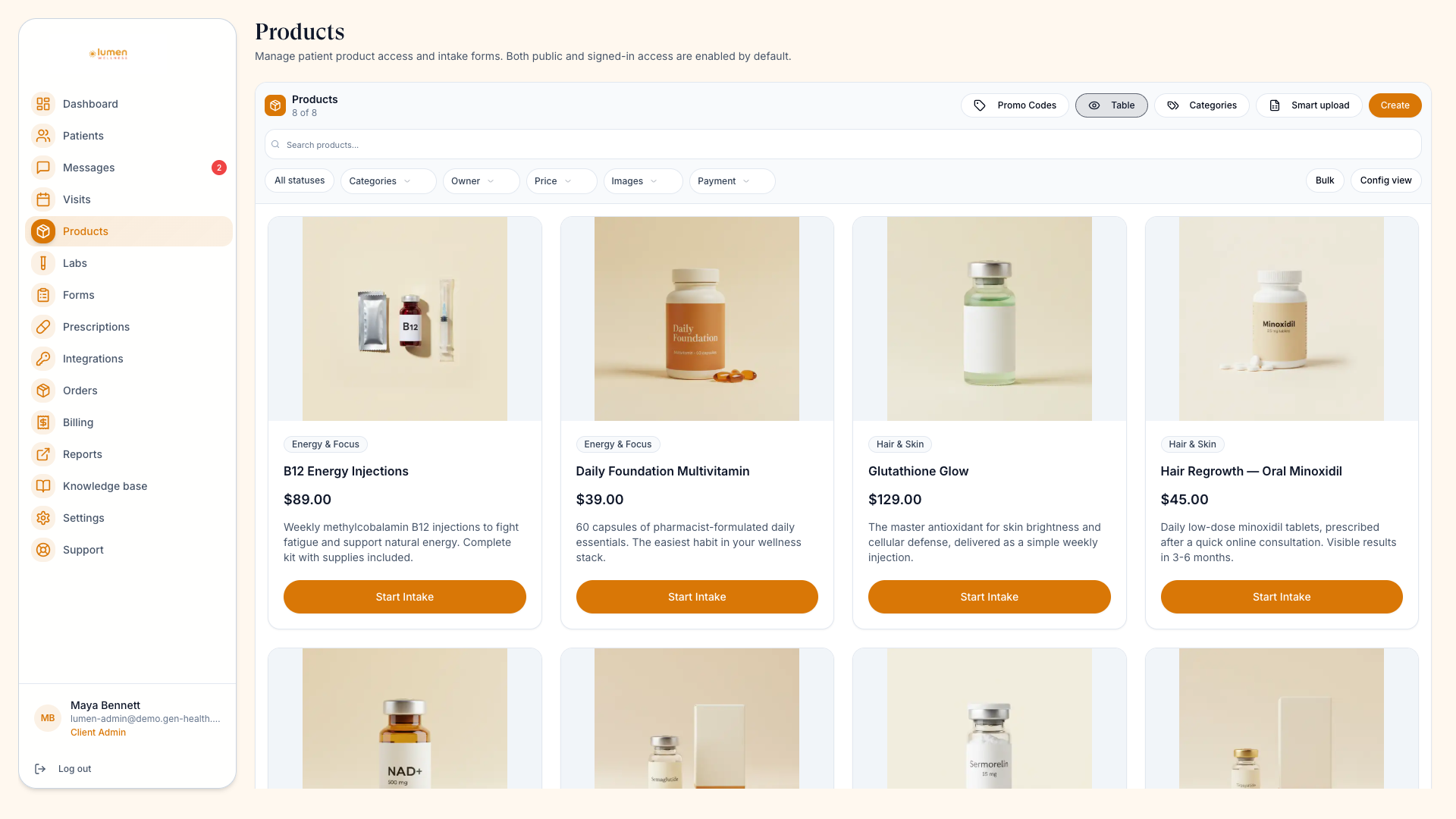
Deleting a catalog product removes the current network and downstream client product rows. Historical orders remain for recordkeeping.
Was this helpful?