
ScriptSure Setup
Enroll your network and providers in ScriptSure so they can e-prescribe.
ScriptSure is the e-prescribing service behind electronic prescriptions. Complete this setup before providers need to send one. Who can do this: Admins run the enrollment — see Roles & Permissions.
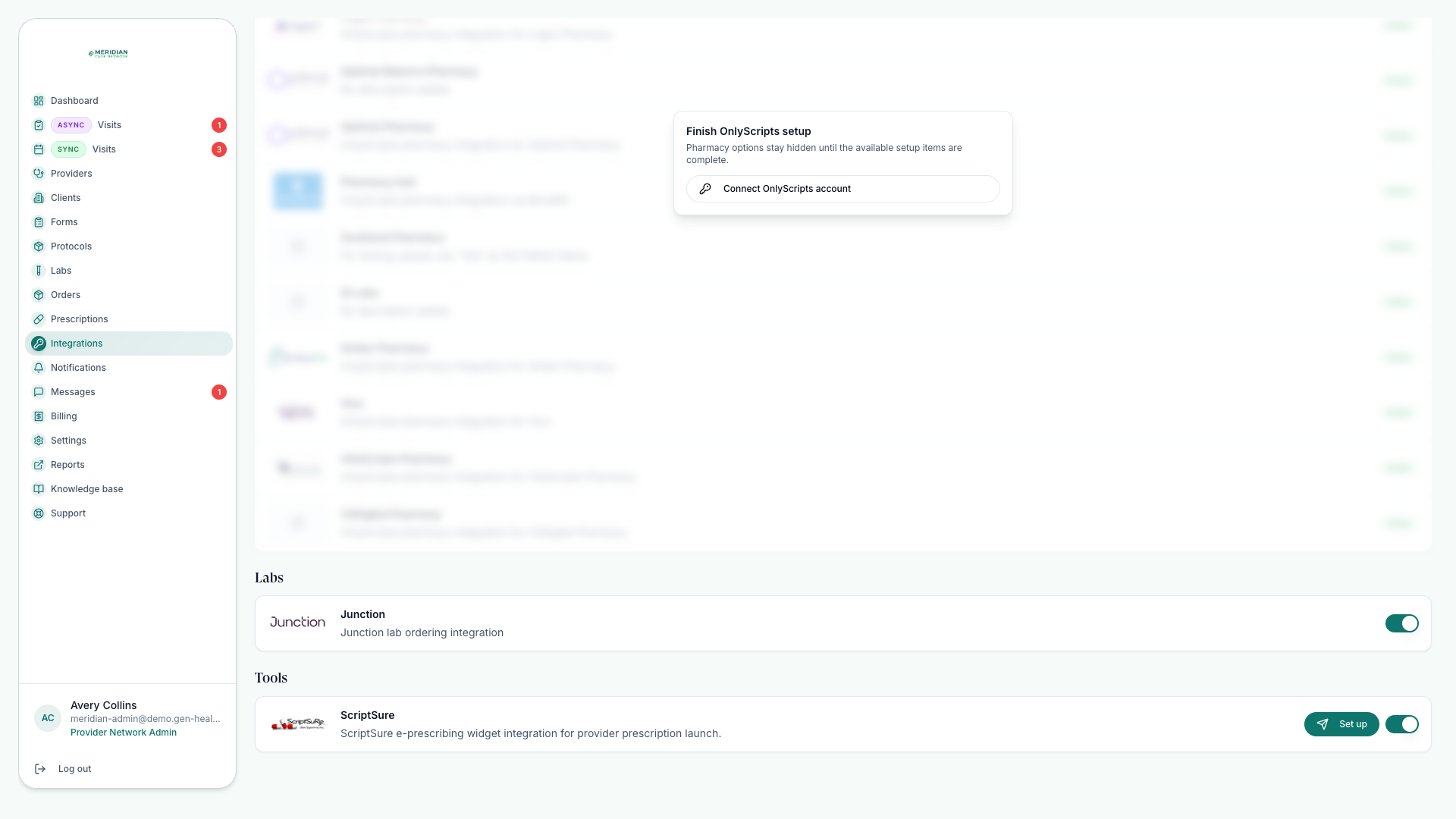
Open IntegrationsHow the pieces fit
Enrollment has two layers: your network's practice, created once with an initial supporting user, then the prescribers and support users you invite. A prescriber can e-prescribe only after identity verification completes.
Before you start
The provider's profile is complete — identity, NPI, licenses, and agreements. See Invite Providers.
Prescribing readiness is met for each provider you plan to invite.
ScriptSure is available on your Integrations page.
Enroll your network
Enable ScriptSure for the network
Start from Integrations and complete the network-level setup flow.
Send the initial practice invite
Use the ScriptSure setup tools to create the practice and enroll the first supporting user.
Invite prescribers and support users
Send invitations once each provider's profile and prescribing readiness are complete.
Wait for identity verification
Each provider must be verified before they can e-prescribe. Verification happens on the provider's side; watch readiness from the Providers page.
After verification
Track ScriptSure readiness from the Providers page alongside other credentials, and fold prescribing status into your regular Credential Checks. Verified providers can send prescriptions — see Send Prescriptions.
An unverified provider may still appear throughout the platform but cannot complete e-prescribing until identity verification is done.
Common questions
When should I send a provider's invitation?
Only when they're ready to prescribe — profile complete, prescribing readiness met. Sending it earlier parks the enrollment while verification waits on missing pieces.
A provider says they can't e-prescribe — what do I check?
Identity verification status first, from the Providers page. An unverified provider can use the platform but cannot complete e-prescribing.
Was this helpful?